
Onboarding Flow - KYB
Configure and manage KYB onboarding flows for organizations.
KYB Onboarding Flow
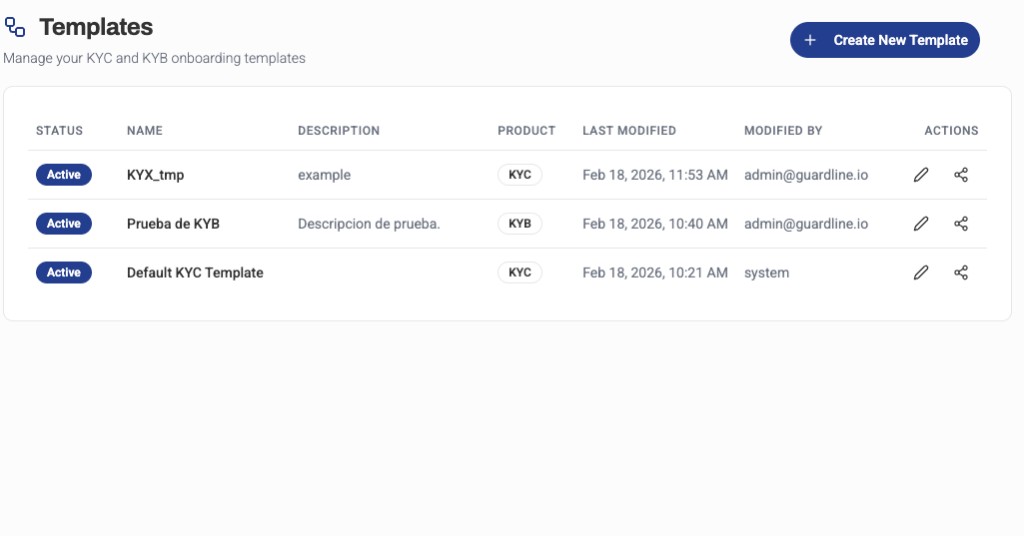
The KYB (Know Your Business) onboarding flow in the Platform UI enables you to create, configure, and manage the verification process for organizations and legal entities. KYB flows are designed to verify corporate structures, beneficial ownership, and business legitimacy.
The main dashboard displays all onboarding templates (both KYC and KYB) in a unified view. When you edit a KYB flow, the configuration steps will include business-specific verification requirements that differ from individual KYC flows.
Flow Configuration
Creating a KYB Flow
To create a new KYB onboarding flow:
- Navigate to Platform UI > Onboarding Flows
- Click Create New Template
- Select KYB as the Product Type
- Enter template name and description
- Choose the target country/jurisdiction (if applicable)
- Configure the flow settings and verification steps
Flow Templates
Guardline provides country-specific KYB templates:
| Template | Description | Region |
|---|---|---|
| KYB_QUICK_ONBOARDING | Basic business verification | General |
| KYB_FULL_ONBOARDING | Enhanced due diligence for businesses | General |
| KYB_BASIC_ARG | Argentina-specific business verification | Argentina |
| KYB_BASIC_BRA | Brazil-specific business verification | Brazil |
Flow Steps
A KYB flow typically includes the following steps:
1. Business Information
Collect basic organization data:
- Legal business name
- Registration number
- Date of incorporation
- Business type/structure
- Industry/sector
- Contact information
2. Corporate Documents
Verify the organization's legitimacy:
- Certificate of incorporation
- Articles of association
- Business licenses
- Tax registration documents
- Proof of address (business premises)
3. Beneficial Ownership
Identify and verify ultimate beneficial owners (UBOs):
- Ownership structure diagram
- Shareholders with >25% ownership
- Directors and officers
- KYC verification for each beneficial owner
- Ultimate controlling parties
4. Authorized Representatives
Verify individuals authorized to act on behalf of the organization:
- Signatory information
- Power of attorney documents
- Board resolutions
- KYC verification for representatives
5. Risk Assessment
Automated screening and checks:
- Corporate sanctions lists
- Adverse media checks
- PEP screening for beneficial owners
- Country risk assessment
- Industry risk scoring
6. Review and Decision
Manual or automated review:
- Compliance officer review
- Document verification
- Ownership structure validation
- Automated approval rules
- Rejection workflows
Country-Specific Requirements
Argentina (KYB_BASIC_ARG)
- CUIT (tax identification number)
- AFIP registration
- Legal representative documentation
- Poder (power of attorney)
Brazil (KYB_BASIC_BRA)
- CNPJ (national business registry)
- Contrato Social or Estatuto Social
- Cartão CNPJ
- Proof of federal registration
Customization Options
Required Fields
Customize field requirements for each flow:
- Mark fields as required, optional, or hidden
- Add custom fields for specific jurisdictions
- Configure validation rules and formats
Document Requirements
Configure which documents organizations must provide:
- Document types accepted per jurisdiction
- Document quality and recency requirements
- Number of ownership levels to verify
Ownership Thresholds
Set parameters for beneficial ownership verification:
- Ownership percentage threshold (default: 25%)
- Number of ownership layers to trace
- Control vs. ownership criteria
Screening Rules
Configure automated screening parameters:
- Risk thresholds for auto-approval
- High-risk country flags
- Industry-specific watchlists
- Enhanced due diligence triggers
Monitoring and Analytics
Track the performance of your KYB flows:
- Completion rates — percentage of organizations that complete onboarding
- Average completion time — typical duration for business verification
- Document rejection rates — most common document issues
- Approval rates — percentage approved vs. rejected
- UBO complexity — average number of beneficial owners per organization
KYB Flow Editor
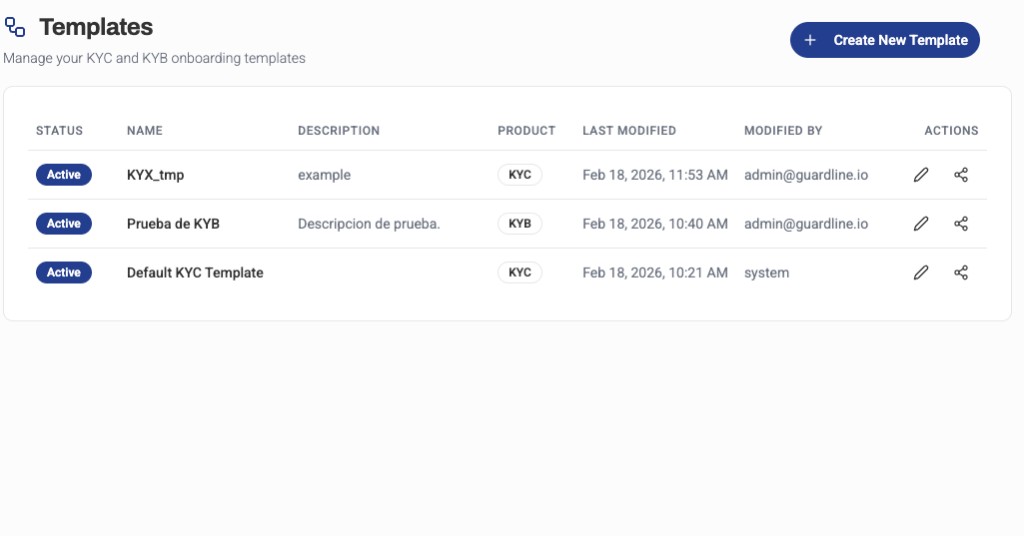
The visual KYB flow editor allows you to configure business-specific verification steps:
- Configure multi-level ownership verification
- Add conditional steps based on business type
- Set up automated decision trees
- Define escalation rules for complex structures
- Preview the organization experience
Ownership Structure Visualization
The Platform UI provides visual tools to:
- Display ownership hierarchies
- Identify ultimate beneficial owners
- Highlight control vs. ownership
- Flag potential red flags in structure
- Export ownership diagrams
Best Practices
- Understand Jurisdictions — Each country has unique requirements
- Verify Ownership — Trace ownership to the ultimate beneficial owners
- Document Everything — Maintain complete audit trails
- Use Automated Checks — Leverage sanctions and PEP screening
- Review Complex Structures — Flag multi-layered entities for manual review
- Stay Updated — Regulatory requirements change frequently
- Test with Real Data — Use realistic business structures in testing