
Onboarding Flow - KYC
Configure and manage KYC onboarding flows for individual applicants.
KYC Onboarding Flow
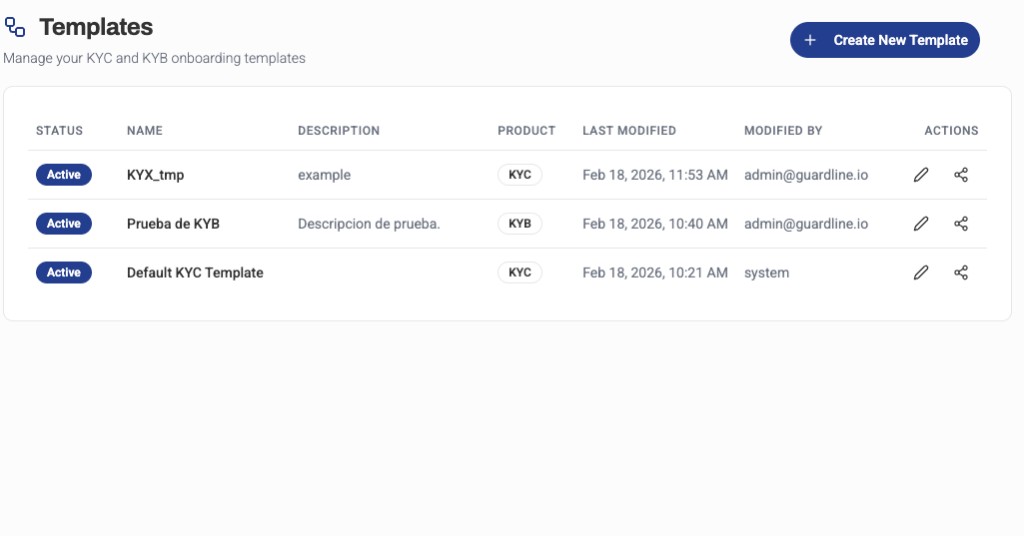
The KYC (Know Your Customer) onboarding flow in the Platform UI allows you to create, configure, and manage the verification process for individual applicants. You can customize the steps, required documents, and validation rules to match your compliance requirements.
The main dashboard displays all onboarding templates (both KYC and KYB) in a unified view. When you edit a flow, the configuration steps and options will differ based on the flow type.
Flow Configuration
Creating a KYC Flow
To create a new KYC onboarding flow:
- Navigate to Platform UI > Onboarding Flows
- Click Create New Template
- Select KYC as the Product Type
- Enter template name and description
- Configure the flow settings and verification steps
Flow Templates
Guardline provides several pre-configured KYC templates:
| Template | Description | Use Case |
|---|---|---|
| KYC_QUICK_ONBOARDING | Simplified verification with basic information | Low-risk individuals, fast onboarding |
| KYC_FULL_ONBOARDING | Comprehensive verification with enhanced due diligence | High-risk individuals, regulated industries |
Flow Steps
A KYC flow typically includes the following steps:
1. Personal Information
Collect basic applicant data:
- Full name
- Date of birth
- Nationality
- Contact information
2. Identity Verification
Verify the applicant's identity using:
- Government-issued ID (passport, driver's license, national ID)
- Document validation (OCR, authenticity checks)
- Selfie/liveness detection
3. Address Verification
Confirm the applicant's residential address:
- Proof of address documents (utility bills, bank statements)
- Address validation services
4. Risk Assessment
Automated screening and checks:
- PEP (Politically Exposed Person) screening
- Sanctions lists
- Adverse media checks
- Risk scoring
Customization Options
Required Fields
You can customize which fields are required for each flow:
- Mark fields as required, optional, or hidden
- Add custom fields specific to your business needs
- Configure field validation rules
Document Requirements
Configure which documents applicants must provide:
- ID document types accepted
- Document quality requirements
- Number of documents required
Screening Rules
Set up automated screening parameters:
- Risk thresholds for auto-approval
- Countries to flag for review
- Industry-specific watchlists
Monitoring and Analytics
Track the performance of your KYC flows:
- Conversion rates — percentage of applicants who complete the flow
- Average completion time — how long applicants take to finish
- Drop-off points — where applicants abandon the process
- Approval rates — percentage of applicants approved vs. rejected
KYC Flow Editor
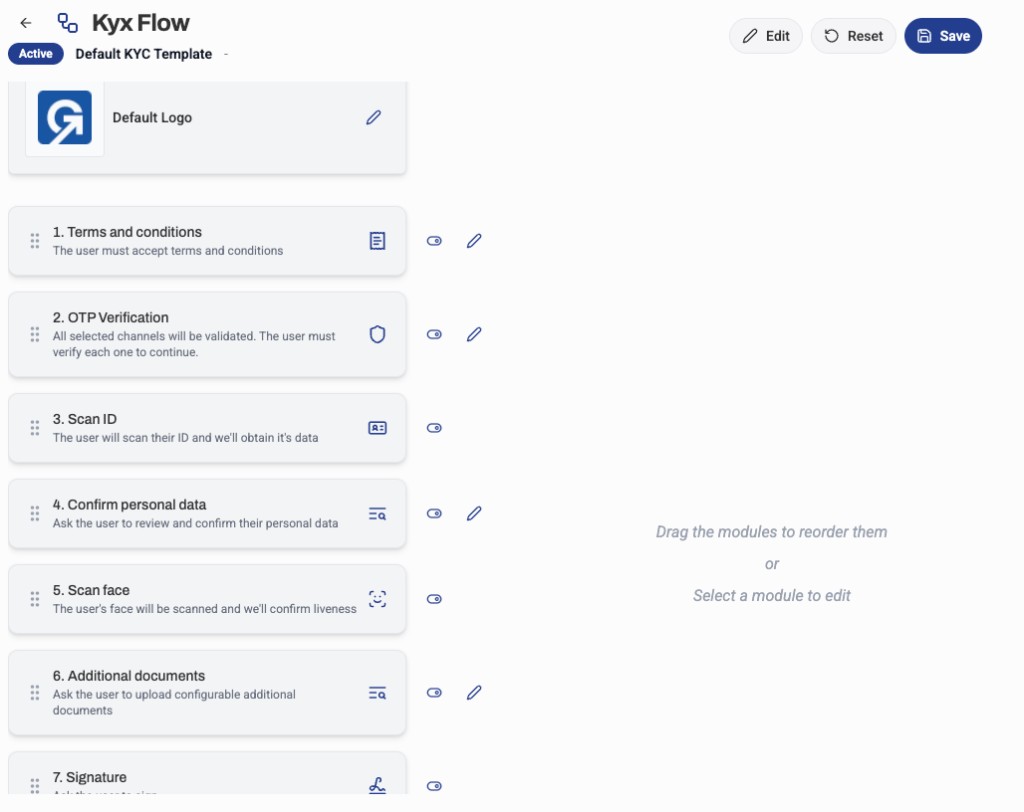
The visual KYC flow editor allows you to:
- Drag and drop steps to reorder them
- Add conditional logic based on applicant data
- Configure automated decision trees
- Preview the applicant experience
Best Practices
- Start Simple — Begin with a quick onboarding flow and add complexity as needed
- Test Thoroughly — Use test mode to verify the flow works as expected
- Monitor Drop-offs — Identify and optimize steps where applicants abandon
- Balance Friction — Find the right balance between security and user experience
- Stay Compliant — Ensure your flow meets regulatory requirements for your jurisdiction