
People
View and manage individual applicants (KYC) in the Platform UI.
People Management
The People section in the Platform UI provides a comprehensive view of all individual applicants (KYC) in your system. This is where compliance officers and analysts review, action, and manage KYC cases.
Overview
The People dashboard displays:
- All individual applicants
- Current status of each applicant
- Assigned reviewers
- Risk scores
- Pending actions
Applicant List View
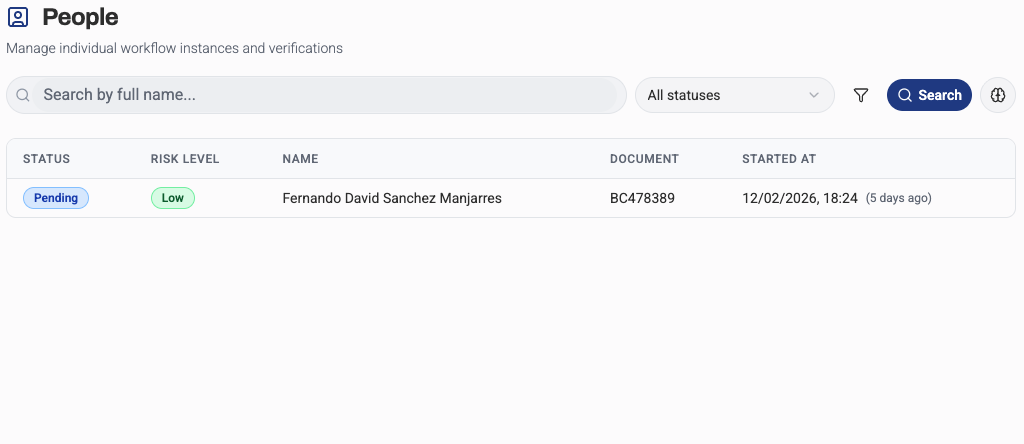
The main list view shows all individual applicants in your system with their current status, risk scores, and assigned reviewers.
Filtering and Search
Find specific applicants using:
- Text search — name, email, phone, applicant ID
- Status filters — pending, in review, approved, rejected
- Risk level — low, medium, high
- Date range — created date, updated date
- Country — applicant nationality or residence
- Process type — quick vs. full onboarding
List Columns
Customize which columns appear in the list:
| Column | Description |
|---|---|
| Name | Applicant's full name |
| Status | Current workflow status |
| Risk Score | Automated risk assessment |
| Created | Date applicant was created |
| Updated | Last modification date |
| Country | Nationality or residence |
| Actions | Quick action buttons |
Bulk Actions
Perform actions on multiple applicants:
- Assign to reviewer
- Change status
- Export data
- Add tags
- Send notifications
Applicant Detail View
Personal Information Tab
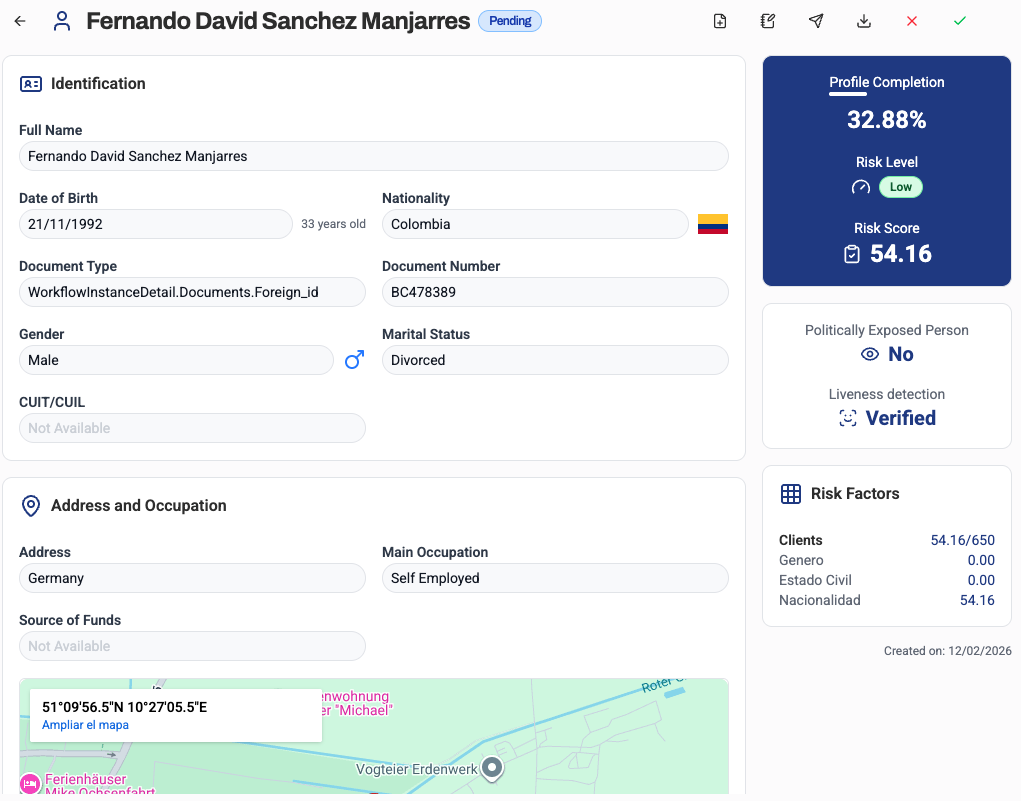
View and edit applicant data:
- Full legal name
- Date of birth
- Nationality and citizenship
- Gender
- Contact information (email, phone)
- Residential address
- Employment information
Documents Tab
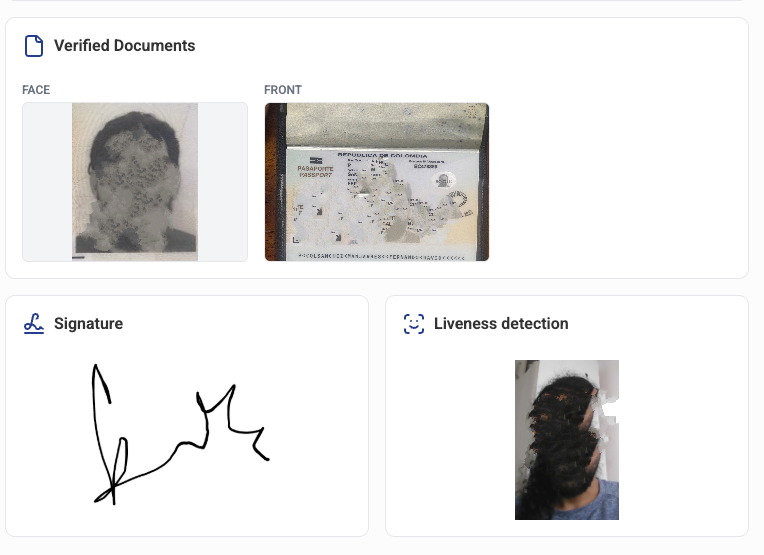
Review uploaded documents:
- Identity documents (passport, ID card, driver's license)
- Proof of address (utility bills, bank statements)
- Document status (pending, verified, rejected)
- Document images and OCR data
- Document expiration dates
Verification Tab
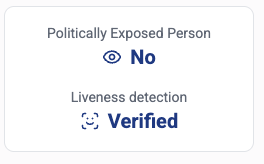
Identity verification results:
- Liveness detection results
- Facial comparison score
- Document authenticity checks
- OCR extraction data
- Verification timestamps
Risk Assessment Tab
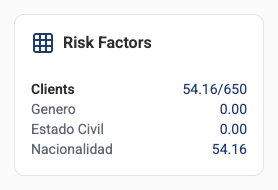
Risk scoring and factors:
- Overall risk score (0-100)
- Risk level (low, medium, high)
- Contributing risk factors
- Country risk
- Industry risk
- Behavioral risk indicators
Notes Tab
Internal notes and comments:
- Add reviewer notes
- Tag team members
- Attach files
- Track decision rationale
Applicant Workflow
Status Flow
Applicants progress through these statuses:
Created → In Progress → Submitted → In Review → Approved/RejectedManual Review Actions
Compliance officers can:
- Approve — Accept the applicant
- Reject — Decline with reason
- Request More Info — Ask for additional documents or clarification
- Escalate — Send to senior reviewer
- Flag — Mark for investigation
Approval Rules
Configure automated approval:
- Auto-approve low-risk applicants
- Auto-reject based on screening hits
- Require manual review for medium/high risk
- Set approval limits per reviewer
Case Management
Assignment
Assign applicants to reviewers:
- Manual assignment
- Round-robin distribution
- Skills-based routing
- Workload balancing
Queues
Organize applicants into queues:
- New Submissions — Recently submitted applicants
- Pending Review — Awaiting compliance officer action
- Additional Info Required — Waiting for applicant response
- High Risk — Flagged for enhanced review
- Escalated — Requiring senior approval
SLA Monitoring
Track service level agreements:
- Time in queue
- Time to first review
- Total review time
- Overdue cases
- SLA breach alerts
Reporting and Analytics
Metrics Dashboard
Key performance indicators:
- Total applicants
- Approval/rejection rates
- Average review time
- Screening hit rates
- Risk distribution
- Country breakdown
Export Data
Export applicant data for:
- Compliance reporting
- Audit trails
- Data analysis
- Integration with other systems
Supported formats:
- CSV
- Excel
- JSON
- PDF reports
Communication
Applicant Notifications
Send messages to applicants:
- Request additional documents
- Inform of approval/rejection
- Provide status updates
- Custom templates
Internal Collaboration
Communicate with team members:
- @mention colleagues
- Add comments to cases
- Create tasks
- Share notes
Best Practices
- Review Regularly — Don't let applicants sit in queues
- Document Decisions — Always add notes explaining your rationale
- Verify Thoroughly — Check all screening hits carefully
- Follow Procedures — Adhere to your organization's review guidelines
- Use Filters — Organize your work with effective filtering
- Monitor SLAs — Keep track of review times
- Escalate When Needed — Don't hesitate to escalate complex cases